Custom firmware BiXBiT for Antminer

A specialized firmware that maximizes the performance and energy efficiency of Antminer series devices by optimizing ASIC operation for real-world conditions.

Get firmware
  • Asic
    Boost

  • Overclocking
    up to 50%

  • 2.8%
    DevFee

  • Embedded
    Antivirus

  • Automatic
    frequency tuning

  • Automatic profile
    generation

  • Hotel
    fee

  • Affiliate
    program

  • immersion cooling
    compatibility

  • 24/7 technical
    support

Access to a mining solutions ecosystem:

monitoring, management, and stable equipment operation without additional costs.

Select firmware

Choose the appropriate firmware version and target device for installation. Ensure compatibility between the selected firmware and your hardware model before proceeding.

BiXBiT Farm Protect

Connection control, reduced latency, stable and secure connectivity for your devices.

Subscribe for updates

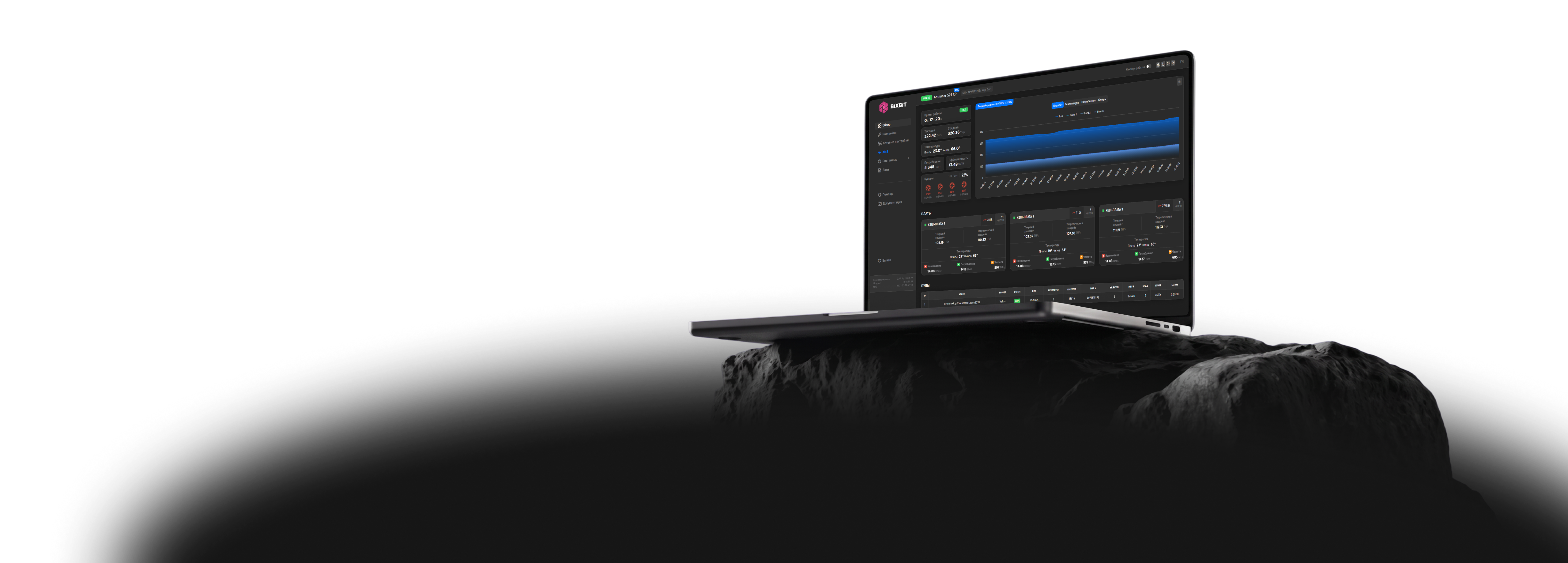
Open access to the monitoring system BiXBiT AMS with firmware

Real-time statistics, main control functions and flexible notifications are now available as a single online service

AMS
Mass device management

Mass device management

Advanced device sorting and filtering

Advanced device sorting and filtering

Profit and technical condition analysis

Profit and technical condition analysis

Key parameters: hashrate, power, temperature

Key parameters: hashrate, power, temperature

Remote access from anywhere in the world

Remote access from anywhere in the world

Change notifications

Change notifications

Task assignment and status tracking

Task assignment and status tracking

Role and access rights creation

Role and access rights creation

Error reports and recommendations

Error reports and recommendations

Mining farm creation by parameters

Mining farm creation by parameters

Virtual map with ASIC placement

Virtual map with ASIC placement

Free access when using BiXBiT firmware

Free access when using BiXBiT firmware

Download firmware

FAQ

How to configure pools on an Antminer?

Go to Settings → Pools in the Antminer firmware and enter the pool URL, worker name, and password. After saving the settings, the miner will start connecting to the selected pool.

How to connect an Antminer to the AMS system?

Open the AMS section in the Antminer firmware and enter the connection credentials. After that, the device will appear in the AMS control panel.

How to select a profile on an Antminer?

Profile selection is done in the Antminer firmware via the Autotune or Profile Switcher section. You can set a fixed mode or enable automatic switching.

How to generate profiles on an Antminer?

Run Autotune in the Antminer firmware. The system will automatically determine optimal operating parameters and generate profiles for the specific device.

How to enable liquid cooling mode on an Antminer?

Go to Settings → Setup in the Antminer firmware and enable the Liquid Cooling option. The miner will then operate with parameters optimized for liquid cooling.

How to select the latest profiles on Antminer S19?

In the Antminer firmware for S19 models, use the Profile Switcher to define a range of profiles and set switching conditions, such as temperature thresholds.

How to download logs from an Antminer?

Go to Miner Log → Download in the Antminer firmware and select the required time period. An archive with the logs will be saved to your device.

How to check Antminer pool connection?

Check the status on the Dashboard in the Antminer firmware and open the Miner Log section. It shows connection attempts and possible errors.

Have Questions? Contact Us on Telegram!

Reach us