
08.07.2024
This guide provides the necessary steps to update your Whatsminer ASIC to BiXBiT firmware version 1.5.0.10. By following these steps, you will unlock full compatibility with our latest features, including advanced overclocking options and improved cooling management.
Proper installation is essential for system stability, and once completed, your device will operate with higher efficiency, better protection, and more precise control over your mining performance.
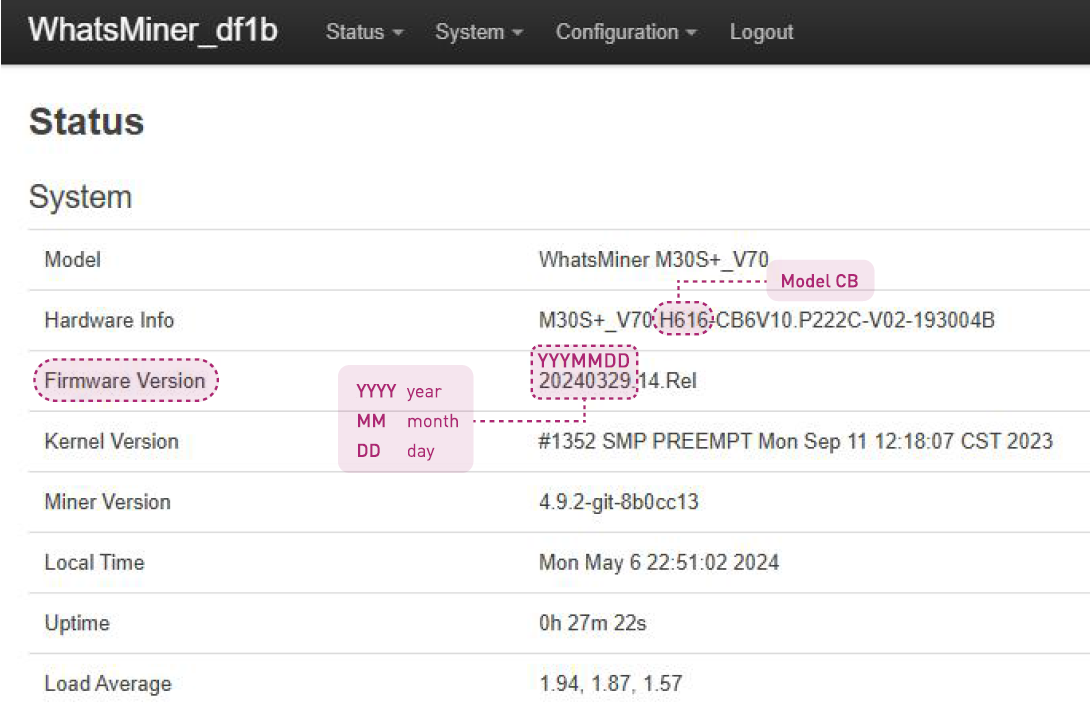
Before starting, identify your Control Board model and Firmware date. You can find this information in two ways:
WhatsminerTool: Connect your device to the utility.
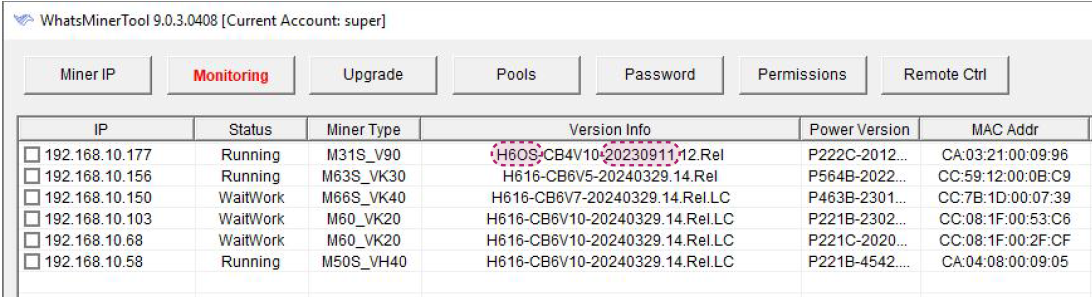
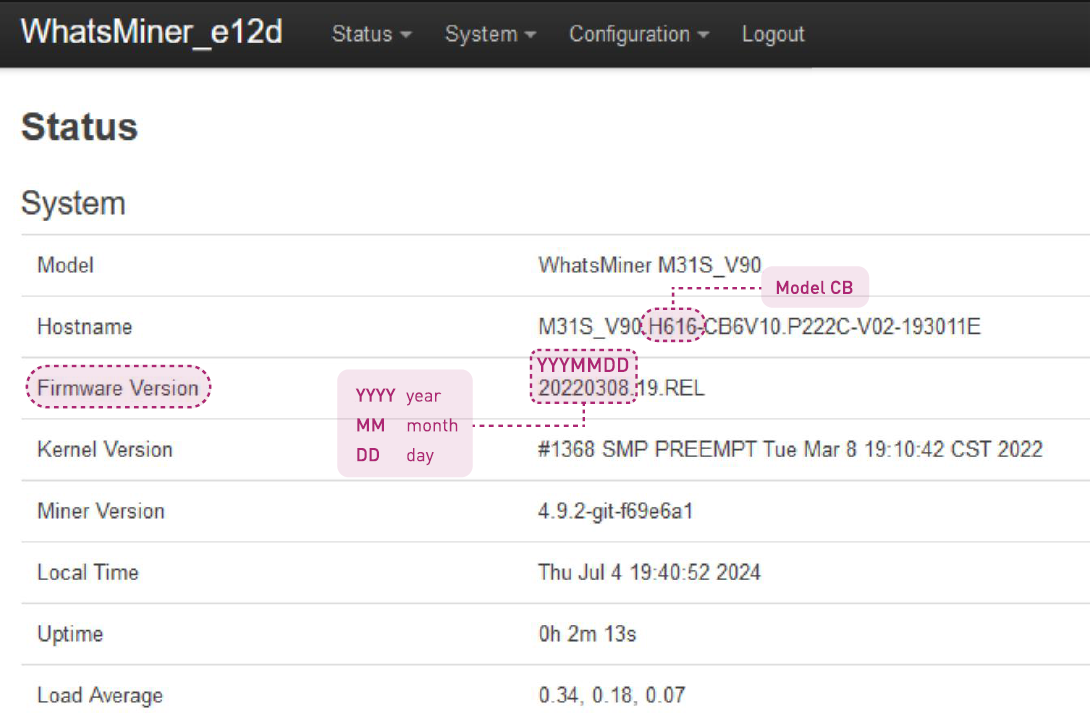
The installation method depends on your specific control board and current firmware.
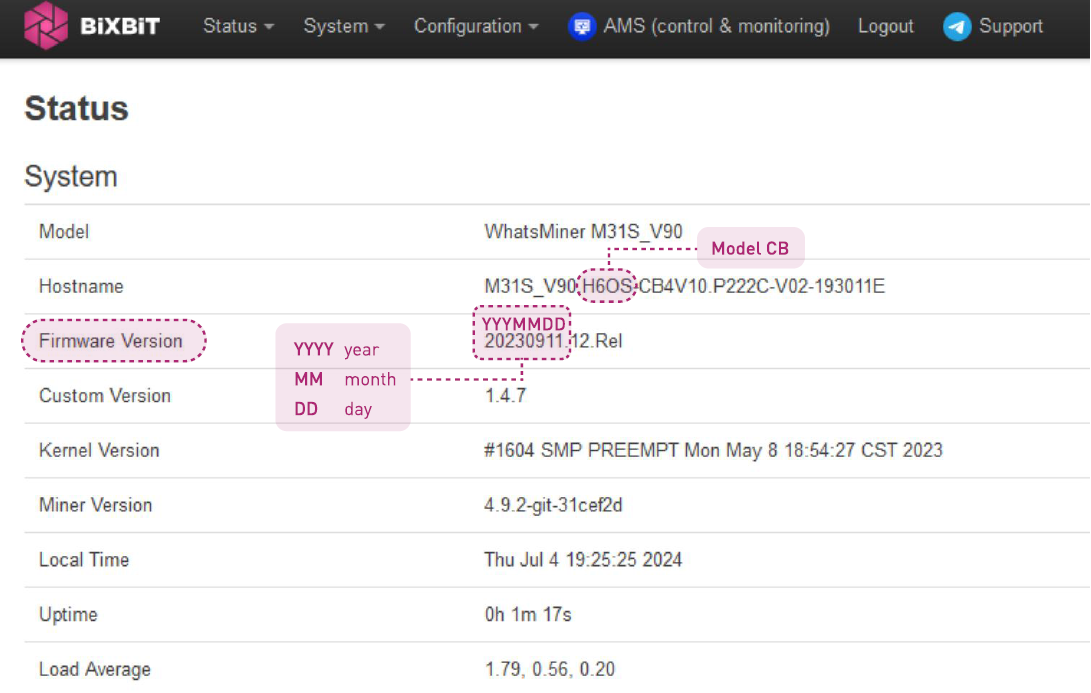
Use WhatsminerTool.
Upload the standard firmware file: Whatsminer-ALLModels_X.X.X.bin (where X.X.X is the version).
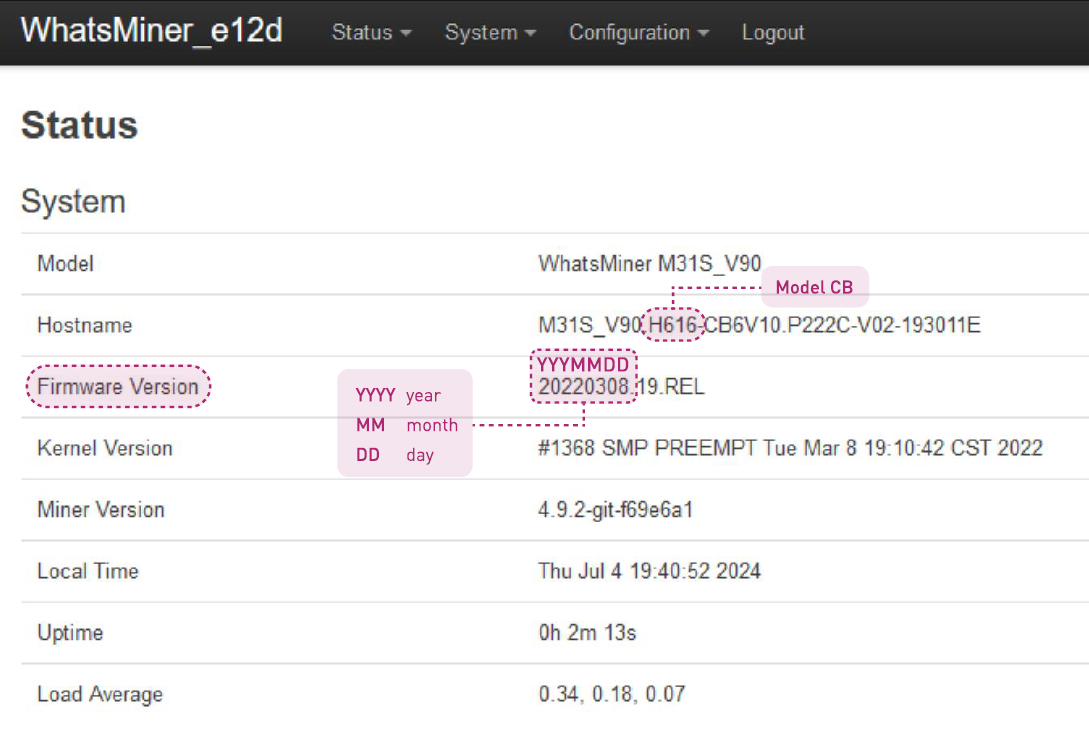
Note: Also use this if BiXBiT firmware is already installed.
Step 1: Use WhatsminerTool to upload the intermediate file: Whatsminer-ALL-Models_X.X.X_h616-before20231213.bin.
Step 2: After the update finishes, use WhatsminerTool to upload the latest BiXBiT firmware file: Whatsminer-ALL-Models_X.X.X.bin.
Step 1: Download the firmware image: Whatsminer-ALL-Models_X.X.X_h616-after20231213.img.
Step 2: Use the PhoenixCard utility to write this image to an SD card.
Step 3: Insert the SD card into your ASIC to flash the intermediate firmware version.
Step 4: Once the flash is complete, use WhatsminerTool to upload the final BiXBiT firmware file: Whatsminer-ALL-Models_X.X.X.bin.
You can watch the step-by-step process for flashing your ASIC via SD card in the video.
After installation, refer to the detailed documentation on working with ASIC Whatsminer on BiXBiT firmware.


